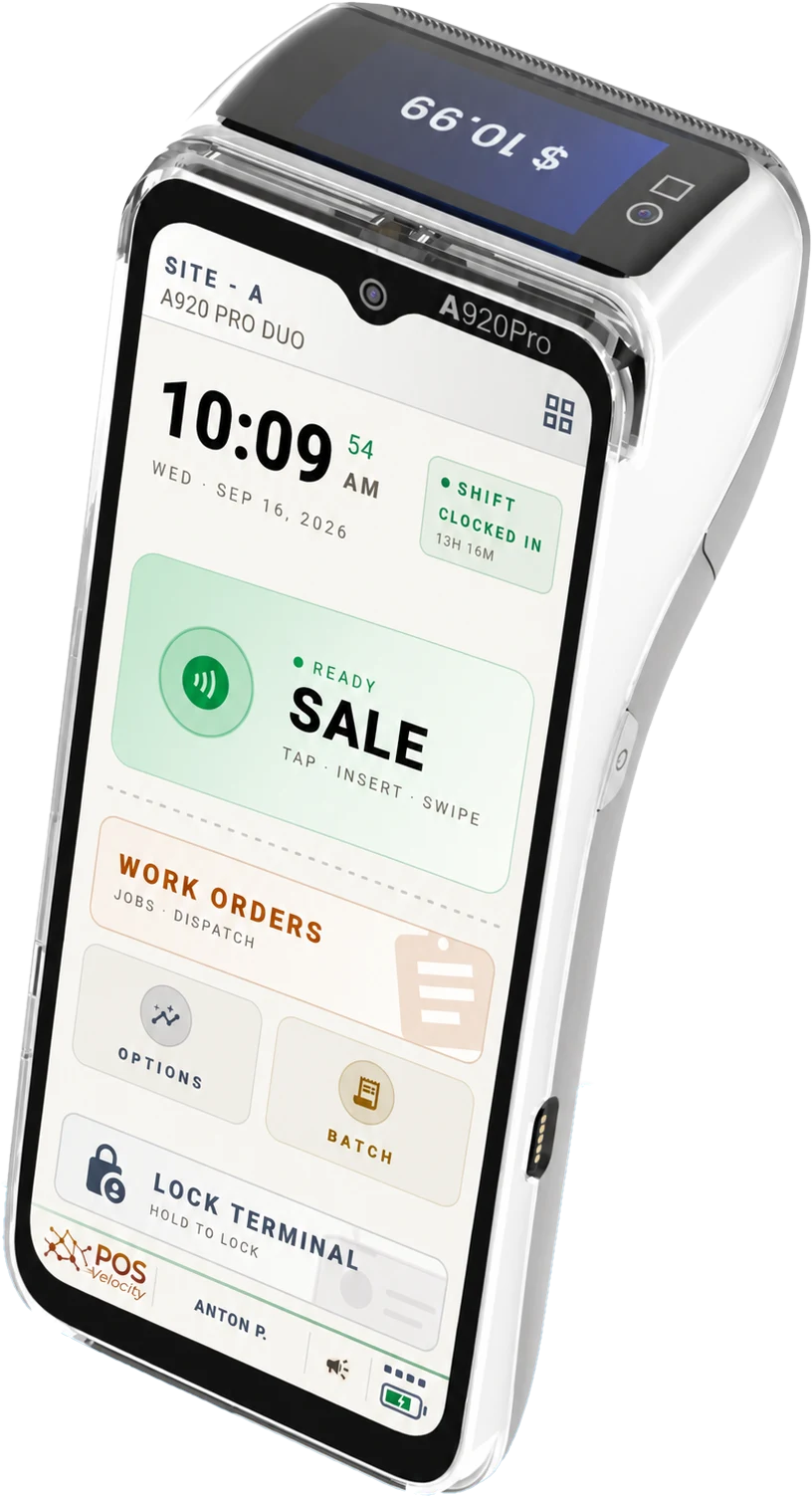
POS Velocity keeps card handling on the PAX terminal and combines kiosk restrictions, sign-out when the screen goes off, per-role rights, change history, and remote device controls.
Card dataPOS Velocity does not store full card numbers.
TERM-01 · CASA VERDE · CARD ENTRYLIVE
····
····
····
····
0 of 16 enteredREAD ON THE TERMINAL0 in the clear
SCREEN LOCKED
screen off · cashier PIN unlocks
TERMINAL LOCKED
access revoked from the portal no sales · no data
KEYPADPAX A920 PRO · SEALED
terminal healthy · awaiting instruction
The payment app on the terminal reads the card. Downstream, POS Velocity keeps only masked details — the last four digits, the brand, and the approval.
Terminal live. Digits entered on the keypad are shown encrypted.
See how card data is protected.
This interactive illustration does not process a payment. In production, card input is handled within the configured PAX terminal and payment environment, while device access controls are managed through the portal.
Payment security built around the PAX terminal and configured payment services.
POS Velocity does not store full card numbers. The configured PAX payment flow handles card input and returns the transaction information required for receipts, reporting, and supported follow-up operations.
✓Masked card data
Every hop of the sale, in plain terms.
Below is the live read-out from the terminal above — the same entry, shown the way each hop of the chain sees it. The terminal's payment app reads the card; POS Velocity keeps only masked details.
What everything downstream sees— · waiting
Digits you typed
0
Full numbers we keep
0
What we keep
last 4
plus brand and approval
HTTPS in transit · masked card data only
Seven controls
Security controls in clear language.
Review each control and what it does, in clear language.
Keep scrolling
01 / 07
Card data handled within the payment flow
Card-present payments are read by the payment app on the PAX terminal. POS Velocity keeps only masked card details — never the full number or security code. A payment link is the one exception: the card is typed on a hosted page, passed to the gateway, and only a masked number is kept.
02 / 07
Rights set per role
Void, refund, cash refund, manual card entry, and price changes are set per role, with limits per site. Voids and refunds always need a named employee.
03 / 07
Encrypted connections
Terminals and the portal connect to POS Velocity over HTTPS.
04 / 07
Locked-down terminal
Once signed in, the terminal hides the system bars, disables Home and Recents, brings the app back if another app takes over, and needs the terminal passcode to exit.
05 / 07
Signed out when the screen goes off
A cashier is signed out when the terminal's screen turns off, and 5 seconds after the app leaves the foreground. An idle sign-out of 1 to 30 minutes can be set per terminal. The next person signs in with a PIN.
06 / 07
Who did what, on record
Each sale records the employee, terminal, and shift, and price changes record the approving manager. Edits to terminals and staff keep who changed what, and when.
07 / 07
Merchant ID check at sign-in
A terminal signs in only when the merchant ID in its payment app matches your account. On a mismatch it stops at a blocking screen and your managers are alerted.
01 / 08Swipe →
Remote lock and recovery workflow.
If a terminal is lost or stolen, use the portal to restrict access and review the device before restoring it.
01
You report it
Open the portal on any browser, click the terminal you've lost.
02
Remote lock
Turn on Lock Device on the terminal's page. An online terminal locks at once, and the portal tells you if it could not be reached. Switching the terminal to not operational stops it signing in or syncing.
03
Screen locks
Once the lock is applied, POS Velocity access is restricted until an authorized recovery action is completed.
04
Back online safely
When the terminal is recovered, an authorized user can review it and restore access from the portal.
Role-based access across locations.
Roles set what each person can do, and employees can be bound to a site. Administrators see every location of the account.
Store
Casa Verde · King St
$3,182
Staff today4
Terminals3
Store
Casa Verde · Queen W
$2,418
Staff today3
Terminals2
Store
Casa Verde · The Beach
$1,962
Staff today2
Terminals2
Sample data · site access follows account and role
Security, in plain terms.
Does POS Velocity handle my customers' card data?
Card-present payments are read by the payment app on the PAX terminal, not by POS Velocity. POS Velocity keeps masked card details — the last four digits, the brand, and the approval references — and never the full number or security code. For a security questionnaire, contact us.
What about payment links?
A payment link opens a hosted page where the customer types the card and completes a 3-D Secure check. The card is passed to the payment gateway and dropped; only a masked number is kept.
What happens if a terminal is lost or stolen?
You can lock the terminal from its page in the portal. An online terminal locks at once, and you can also switch it to not operational to stop it signing in or syncing. An authorized user can review and restore it after recovery.
Is the connection encrypted?
Yes. Terminals and the portal connect to POS Velocity over HTTPS.
Can one of my locations see another location's data?
Access is scoped by account and role, and employees can be bound to a site. Administrators see every location of the account.
Security questions?
Tell us what your review needs — card handling, access controls, change history, lost-device controls — and we'll answer in writing.