01
Tap
Card present at terminal — chip, tap, or contactless.
POS Velocity supports chip, tap and contactless cards, cash, and 3-D Secure payment links on PAX terminals, with refunds, voids, receipts, and batch management in the same platform.
$45.20 held on the card — not yet money.
Locks to $48.20. Nothing drifts after this.
Timestamped into tonight's batch — sent, not answered.
Bank answered 000000 — the only stamp that means money.
Press the key. Watch how far apart approved and settled really are — then send it back with a refund.
Held on the card, captured, queued, settled — four stamps, one amount.
These checkpoints illustrate a common payment lifecycle. The exact sequence depends on payment method, host configuration, and transaction type.
Keep scrollingCard present at terminal — chip, tap, or contactless.
The payment request is sent through the configured payment connection.
When the customer is not at the counter, a payment link takes the card on their own phone with a 3-D Secure check, once a payment gateway is set up.
The returned authorization status is recorded and shown in the interface.
Receipt prints on the terminal's printer or a network printer, and can be emailed.
Full or partial refund tied to the original transaction.
Batch close runs manually, on a schedule, or by the host itself; manual and scheduled closes record the returned status.
Card, cash, manual entry and payment links — on the same PAX terminal flow.
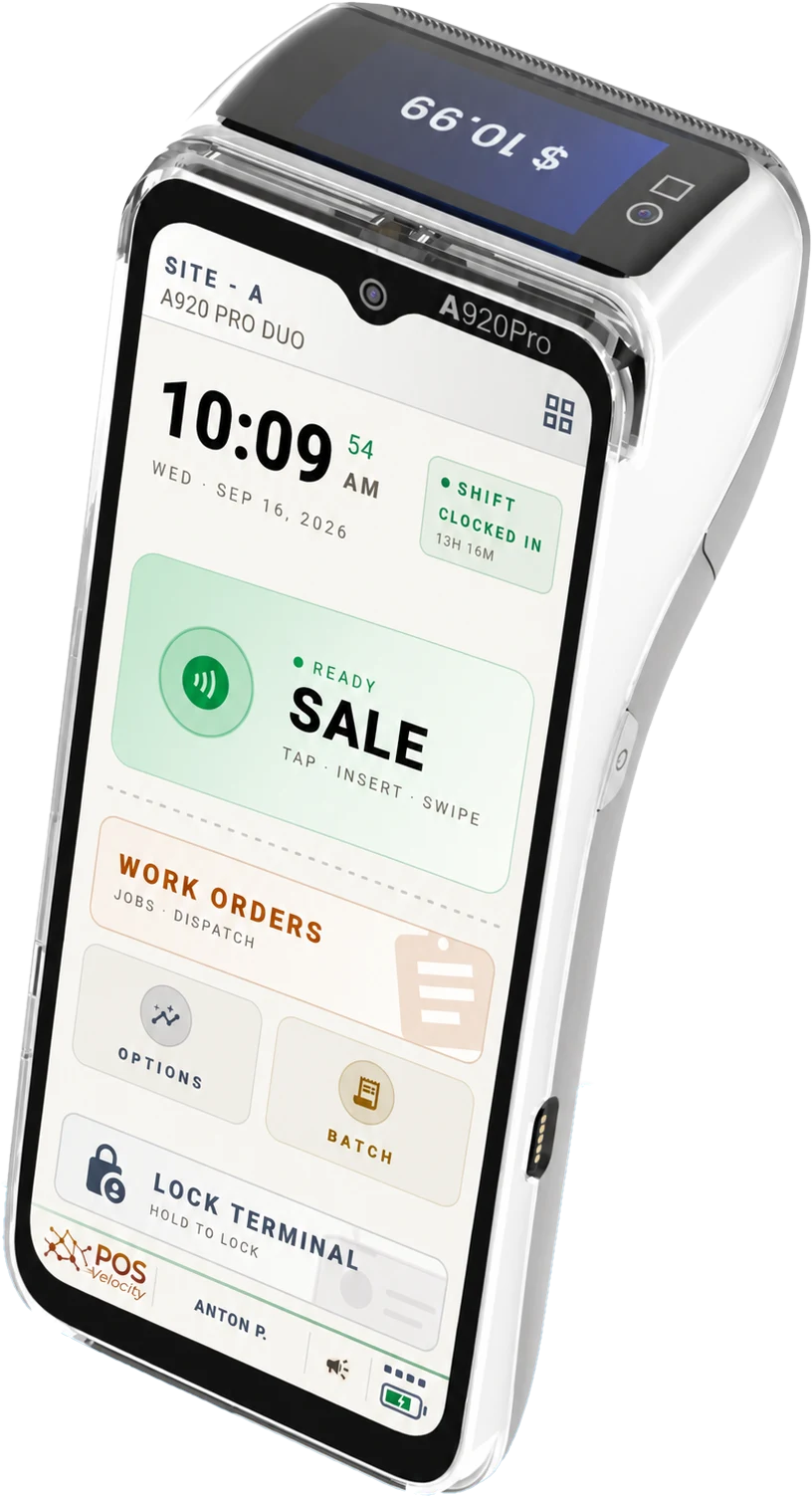 Chip · tap · contactless
Chip, tap, and contactless cards — handled by your PAX terminal. No extra boxes, no extra cables.
Tendered and change on the keypad, a receipt, nickel rounding in Canada, and cash totals per shift.
Send a link by email, text or QR code and the customer pays on their own phone with a 3-D Secure check. Available once a payment gateway is set up for the account.
Up to six tip choices — percent or fixed amounts, before or after tax — asked on the terminal before the card is read.
Refund a sale in full from the transaction list or in part over the ECR API, and void a sale until its batch closes — all linked to the original.
Ask for a PO number, a table note or a phone number before a sale or refund. Answers are saved on the transaction, exported to Excel, and can print on the receipt.
Manual, scheduled, or closed by the host. Manual and scheduled closes record the host's answer, and a refused close is flagged in Reports › Batches.
Set per role who can void, refund, key in a card or change a price, and cap the size of a sale per site.
Manual entry, payment links, a desktop station, and ECR integrations can use the same transaction history and reporting.
Enter card details on the PAX pinpad when manual entry is supported and permitted for the transaction.
Every declined, timed-out or lost attempt is kept in a Failed Sales report grouped by sale, and decline protection can email a manager after 3 to 10 declines.
Print customer and merchant copies automatically or let the cashier choose, email them, and design your own template with barcodes and a QR code to your business page. Template design is an add-on module.
Run the register on a Windows PC: it prints to a Windows receipt printer, takes barcode-scanner input, and charges cards on a paired PAX terminal.
Cash totals round to the nearest legal increment automatically — Canada's nickel today, with per-country rules built in.
Already have a POS? Drive a PAX terminal from it over our ECR API.
See the ECR API →
Manual entry, payment links, a desktop station, and ECR integrations can use the same transaction history and reporting.
Authorization and batch close are separate parts of the payment lifecycle. POS Velocity keeps their statuses distinct so merchants can review the response associated with each operation.
Batch close can run manually, on a schedule, or be left to the host. Manual and scheduled closes record the host's returned status in the portal, and exception states remain visible for follow-up instead of being presented as a completed close.
Chip, tap, and contactless cards, cash, manual card entry where your role and site allow it, and payment links with 3-D Secure — all handled in the same platform, with every sale in one ledger.
POS Velocity runs on PAX A-series terminals. Contact us to confirm compatibility for your specific device.
Batch close can run manually, on a schedule, or be left to the payment host. Manual and scheduled closes record the host's returned status, and a refused close is flagged in Reports › Batches for follow-up.
Yes. Refund a sale in full from the terminal's transaction list, or in part through the ECR API, and void a sale until its batch closes. Refunds and voids stay linked to the original transaction.
Yes. Key the card in on the PAX terminal where your role and site allow it, or send a payment link by email, text or QR code — the customer pays on their own phone with a 3-D Secure check once a payment gateway is set up for your account.
Cash sales, refunds and clock-ins are held on the terminal and sync automatically when it reconnects. Card payments need a connection to the payment host.
Tap a real card on a real PAX terminal. Watch the auth, the receipt, and the response code all the way through to the batch close.
